

WordPress website maintenance cost: Hard to plan when you do not know what you are paying for. You may worry about rising bills, hidden fees, or a website that breaks when you skip updates.
The right maintenance plan can help you avoid these problems without spending more than you need.
Your total cost depends on several factors, such as WordPress core updates, theme and plugin updates, website backups, security monitoring, speed optimization, and bug fixes.
A small blog may need basic care, while a WooCommerce store with many products may need more time and support. Hosting plans, website traffic, custom features, and developer fees can also affect your budget.
Knowing what drives these costs helps you choose the right services for your site. In this guide, you will learn the top 10 factors that affect WordPress website maintenance costs.
What each service covers and how to keep your website secure, fast, and reliable without paying for work you do not need.
What Is WordPress Website Maintenance Cost?
WordPress website maintenance cost is the money you spend to keep your website secure, up to date, and running smoothly. It can include software updates, website backups, security checks, speed improvements, and technical support.
The cost depends on your website’s size, features, and support needs. A small business website may need only basic maintenance. An online store or a large website may require more frequent checks and technical support.
You can manage maintenance in two main ways: handle basic tasks yourself or hire a WordPress maintenance service. Doing the work yourself can save money, but you need time and the right skills. Hiring a professional WordPress developer can help prevent errors and fix problems faster.
Before choosing a plan, understand what each service includes and how often your website needs care. This will help you set a clear budget and avoid paying for services you do not need.
Top 10 Factors That Affect WordPress Website Maintenance Cost
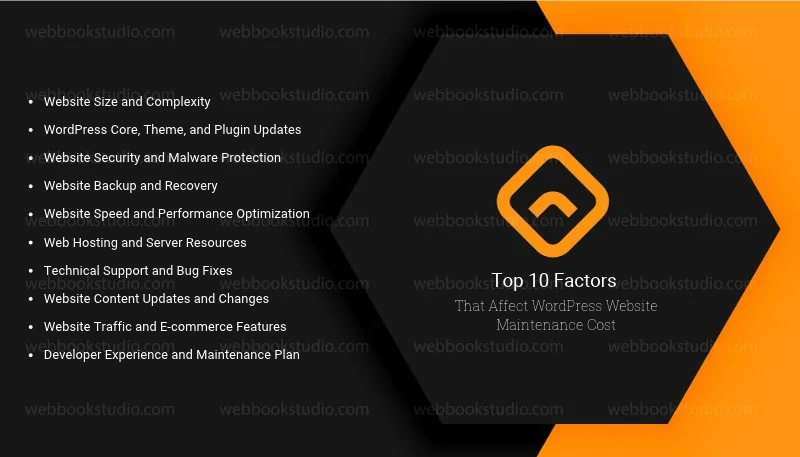
Your WordPress website maintenance cost depends on the work needed to keep your site safe and running well. Some websites need only basic updates, while others need regular security checks, custom fixes, and expert support.
Here are the 10 main factors that can affect your maintenance budget.
1. Website Size and Complexity
The size and design of your website affect how much maintenance it needs. A small blog with a few pages is often easier to manage than a large business website with many pages and features.
Large websites may need more time for updates, backups, testing, and bug fixes. Custom designs and complex features can also increase maintenance costs.
How to manage the cost: Keep your website simple and remove unused pages, themes, and plugins. This can reduce maintenance work and make your site easier to manage.
2. WordPress Core, Theme, and Plugin Updates
Regular updates are important for your website’s security and performance. WordPress releases updates to fix bugs, improve features, and protect your site from known risks. Themes and plugins also need updates to work well with the latest WordPress version.
The cost depends on how many themes and plugins your website uses. Some updates are simple, while others need testing to prevent errors or conflicts. A website with many plugins or custom WordPress theme features may need more expert help.
How to manage the cost: Remove unused plugins and themes, use trusted tools, and update your website regularly. Back up your site before major updates so you can restore it if something goes wrong. Hire a WordPress plugin setup developer.
3. Website Security and Malware Protection
Website security is a key factor in WordPress website maintenance costs. Your site needs protection from hackers, malware, spam, and other online threats. Without proper security, an attack can damage your website, expose user data, or lead to costly repairs.
Security costs depend on your website’s risk level and the protection you need. Basic security may include regular scans, login protection, and firewall setup. Larger websites and online stores may need advanced malware removal, security monitoring, and expert support.
How to manage the cost: Use trusted security plugins, strong passwords, and two-factor authentication. Keep WordPress updated and scan your website for threats. These steps can lower your risk and help you avoid expensive repairs.
4. Website Backup and Recovery
Website backups affect your WordPress website maintenance cost because they help you recover lost data. A backup stores copies of your website files, database, images, and other important content. You can use these copies to restore your site after a hack, server failure, or update error.
The cost depends on how often you need backups, how much data your website stores, and where you keep the backup files. A small blog may need less storage than a large WooCommerce store with daily orders and customer records.
How to manage the cost: Set up automatic backups and store copies in a secure location outside your main hosting account. Test your backups from time to time to make sure they work. Choose a backup schedule that matches how often your website content changes.
5. Website Speed and Performance Optimization
Website speed affects how quickly your pages load and how easily visitors can use your site. Slow pages can frustrate users and cause them to leave before taking action. Regular performance checks help keep your website fast and reliable.
The cost depends on your site’s current speed, hosting quality, image sizes, and number of plugins. Basic tasks may include image compression, caching, and database cleanup. Websites with slow servers, heavy themes, or complex features may need advanced speed optimization.
How to manage the cost: Compress images, remove unused plugins, enable caching, and keep your website software updated. Choose a hosting plan that fits your traffic and resource needs. Regular speed checks can help you find problems before they affect your visitors.
6. Web Hosting and Server Resources
Your hosting plan affects your WordPress website maintenance cost because it provides the server resources your site needs to run. These resources include storage, memory, bandwidth, and processing power. If your hosting plan cannot handle your website’s needs, you may face slow loading times, errors, or downtime.
Shared hosting often costs less and can work well for small websites. Managed WordPress hosting may cost more but can include automatic backups, security features, software updates, and expert support. Large websites and online stores may need more powerful hosting to handle higher traffic.
How to manage the cost: Choose a hosting plan that matches your website size and traffic. Review its storage, backup options, security features, and support before paying. Upgrade only when your website needs more resources or your current plan affects performance.
7. Technical Support and Bug Fixes
Technical support affects your WordPress website maintenance cost because website problems often need time and skill to fix. Broken links, plugin conflicts, layout errors, and contact forms that stop working can affect your visitors and business.
The cost depends on the type of problem and how quickly you need a fix. Small issues may take little time, while errors caused by custom code or complex plugins may need an experienced WordPress developer. Emergency support can also cost more than routine maintenance.
How to manage the cost: Test important website features after major updates and fix small problems before they grow. Choose a maintenance plan that clearly explains its support hours, included fixes, and extra charges. This helps you avoid unexpected repair costs.
8. Website Content Updates and Changes
Regular content updates can affect your WordPress website maintenance cost. Your website may need new blog posts, updated service pages, fresh images, or changes to product details. These tasks keep your information accurate and help visitors find what they need.
The cost depends on how often you update your content and how much work each change requires. Updating a few lines of text may cost little, while redesigning landing pages or adding new sections may require more time. Online stores may also need regular product descriptions, prices, and inventory updates.
How to manage the cost: Plan content updates in advance and group small changes into one task. Learn to make simple edits through the WordPress dashboard if you have time. For complex page changes, hire a professional to avoid design or layout problems.
9. Website Traffic and E-commerce Features
Website traffic and advanced features can increase your WordPress website maintenance costs. A site with many visitors needs enough server resources to handle requests without slowing down. Online stores also need extra care to keep product pages, payment gateways, checkout forms, and customer accounts working properly.
A small business website may need only basic monitoring. However, a WooCommerce store with hundreds of products and daily orders may require more frequent backups, security checks, performance tests, and technical support.
How to manage the cost: Monitor your website traffic and check for slow pages or server errors. Keep your WooCommerce setup updated and test the checkout process after major changes. Choose hosting and maintenance services that match your site’s traffic and business needs.
10. Developer Experience and Maintenance Plan
The experience of your WordPress developer and the type of maintenance plan you choose can affect your total cost. A basic plan may cover updates, backups, and security checks. A more advanced plan may include performance optimization, bug fixes, emergency support, and custom development.
Developer fees also vary based on skills, experience, and the complexity of your website. Simple tasks may not need expert help, but custom features, database errors, and major technical problems often require an experienced developer.
How to manage the cost: Compare maintenance plans based on their services, response times, and extra fees. Check the provider’s experience with WordPress websites similar to yours. Choose a plan that covers your actual needs instead of paying for services you rarely use.
How Much Does WordPress Website Maintenance Cost?
The WordPress Website Maintenance Cost depends on your website’s needs, the services included, and who manages the work. A small website usually needs less support than a large business website or online store.
Here is a simple cost breakdown to help you plan your budget.
| Maintenance Type | Estimated Monthly Cost (USD) | Best For |
| Basic maintenance | 20–100 | Personal blogs and small websites |
| Standard maintenance | 100–300 | Small business websites |
| Advanced maintenance | 300–1,000+ | Large websites and online stores |
| Custom maintenance | $1,000+ | Complex websites with special needs |
Note: These are general planning estimates, not fixed market rates. Actual prices vary by provider, location, website complexity, and service level.
Before choosing a plan, check what it covers. Some plans include updates, backups, and security checks, while others charge extra for bug fixes, content changes, or emergency support.
Tip: Compare the services included in each plan, not just the monthly price. This helps you choose the right level of support without paying for features your website does not need.
How to Reduce WordPress Website Maintenance Costs
You can lower your WordPress website maintenance costs without putting your website at risk. Focus on regular care, useful tools, and services that match your needs.
- Choose reliable hosting: Pick a hosting plan that fits your website size and traffic.
- Remove unused plugins: Keep only the plugins your website needs to reduce extra maintenance work.
- Schedule regular backups: Use automatic backups to protect your files and database.
- Update WordPress regularly: Keep your WordPress core, themes, and plugins updated to reduce security risks.
- Monitor website performance: Check loading speed and fix problems before they affect visitors.
- Compare maintenance plans: Review included services, support limits, and extra fees before choosing a provider.
- Handle simple tasks yourself: Update text, replace images, and manage basic settings if you have the skills.
Regular maintenance helps prevent avoidable problems and keeps your website easier to manage. However, do not skip security checks or backups just to save money. A major website issue can cost more to fix than routine maintenance.
DIY Maintenance vs. Professional WordPress Maintenance
You can maintain your WordPress website yourself or hire a professional. The right choice depends on your budget, technical skills, and website needs.
| Factor | DIY Maintenance | Professional Maintenance |
| Cost | Usually lower | Usually higher |
| Time | Requires your own time | Saves time |
| Updates | You manage updates | A professional handles updates |
| Security | You monitor threats | May include security monitoring |
| Bug fixes | You solve problems yourself | An expert fixes technical issues |
| Best for | Small blogs and simple websites | Business websites and online stores |
Which option should you choose?
Choose DIY maintenance if you have a small website, basic technical skills, and time for regular checks. Professional maintenance is a better choice if your website supports daily business tasks, processes payments, or uses complex features.
Before hiring a provider, check the services included in the plan. Make sure you understand the monthly fee, support limits, and charges for extra work. This helps you control your WordPress website maintenance costs while keeping your site secure and reliable.
Common Mistakes That Increase WordPress Website Maintenance Costs
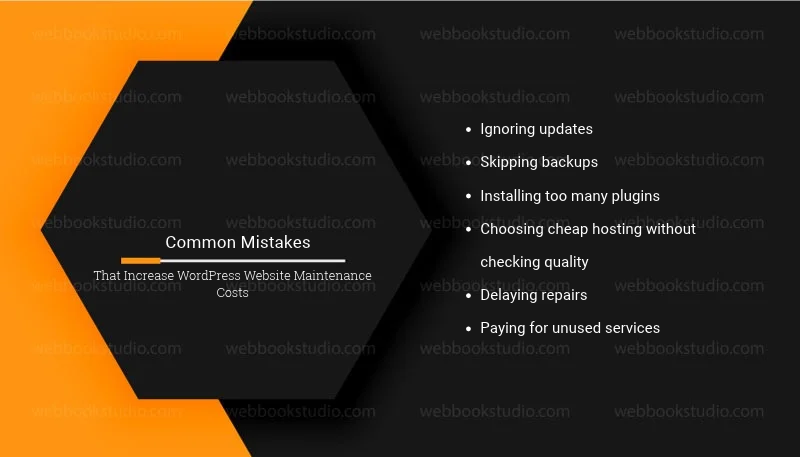
Some website owners spend more on maintenance because they ignore small problems or choose the wrong services. Avoid these common mistakes to keep your website running well and control your budget.
- Ignoring updates: Outdated WordPress software, themes, and plugins can cause security risks and compatibility issues.
- Skipping backups: Without recent backups, recovering lost files or fixing a damaged website can become costly.
- Installing too many plugins: Unnecessary plugins can create conflicts and increase maintenance work.
- Choosing cheap hosting without checking quality: Poor hosting can lead to slow loading times, downtime, and performance issues.
- Delaying repairs: Small errors can become larger problems if you leave them unresolved.
- Paying for unused services: Extra features and support options can raise your monthly bill without adding real value.
How to avoid these mistakes: Schedule regular maintenance, review your website’s needs, and choose services that match your goals. A clear maintenance plan helps you prevent common problems and avoid unnecessary expenses.
Conclusion: What Makes WordPress Website Maintenance More Expensive?
Your WordPress Website Maintenance Cost depends on your website’s size, hosting, security needs, updates, and technical support. Understanding these factors helps you set a realistic budget and avoid unexpected expenses.
Start by reviewing your website’s current needs. Keep your WordPress software updated, schedule regular backups, monitor security, and fix problems early. If you lack the time or skills to manage these tasks, consider a professional maintenance plan that fits your budget.
The goal is not to choose the cheapest wordpress website development service. It is to keep your website secure, fast, and reliable without paying for services you do not need. Hiring an e-commerce developer for regular maintenance can help protect your website and support your long-term business goals.
FAQs: Can You Lower WordPress Website Maintenance Cost Without Risk?
1. How much does WordPress website maintenance cost per month?
WordPress website maintenance can cost around $20 to $300 per month for many small websites and businesses. Larger websites and online stores may cost $1,000 or more, depending on their needs and the services included.
2. What does WordPress website maintenance include?
WordPress website maintenance usually includes software updates, security checks, website backups, performance monitoring, and bug fixes. Some plans also cover content updates, malware removal, and technical support.
3. Is WordPress website maintenance necessary?
Yes, regular maintenance helps keep your website secure, updated, and functional. It can also help prevent data loss, reduce downtime, and identify technical problems before they become serious.
4. Can I maintain my WordPress website myself?
Yes, you can handle basic maintenance tasks if you have the time and skills. These tasks include updating plugins, creating backups, checking website security, and monitoring performance. Complex errors may require professional help.
5. Why does WordPress website maintenance cost vary?
The cost varies based on website size, traffic, hosting, security needs, plugin requirements, and technical complexity. A simple blog generally needs less maintenance than a large WooCommerce store.
6. Does WordPress hosting include website maintenance?
Some managed WordPress hosting plans include automatic updates, backups, security features, and technical support. However, regular content changes, custom development, and advanced bug fixes may cost extra. Always check what your hosting plan covers.
7. How can I reduce WordPress website maintenance costs?
You can reduce costs by choosing suitable hosting, removing unused plugins, scheduling automatic backups, updating software regularly, and fixing problems early. Compare maintenance plans to avoid paying for services your website does not need.
8. How often should a WordPress website be maintained?
Check your website regularly and apply security updates as soon as practical. Review backups, test important features, and monitor performance at least monthly. Busy websites and online stores may need more frequent checks.