

What Is Ecommerce Checkout Optimization and Why Does It Matter?
Ecommerce checkout optimization can make the difference between a sale and an abandoned cart. Many people visit your online store, add products to their cart, and reach the checkout page, but then they leave without buying. In many cases, the problem is not your product or price. It is the checkout experience itself.
If your checkout process is too long, asks shoppers to create an account, hides shipping costs, or offers limited payment methods, customers can lose trust and leave. Slow page speed, poor mobile design, confusing forms, weak security signals, and a lack of payment options also hurt your conversion rate.
Most checkout problems are easy to fix. Small improvements such as guest checkout, clear shipping information, trusted payment gateways, security badges, faster-loading pages, and a simple checkout flow can reduce cart abandonment and help more shoppers complete their purchases.
Let’s go discuss the 15 most common ecommerce checkout optimization mistakes that reduce sales and, more importantly, how to fix each one. You’ll have practical tips for creating a faster, smoother, and more trustworthy checkout experience that helps convert more visitors into paying customers.
What is Ecommerce Checkout Optimization?
Ecommerce checkout optimization means improving every step of your checkout process so more shoppers complete their purchases instead of leaving their carts behind. The basic goal is simple: to remove anything that slows people down, confuses them, or makes them lose trust.
Online shopping keeps growing fast. Experts say the global e-commerce market could reach around $39 trillion or more in 2026, with strong growth continuing for years. Mobile shopping is huge now, and people expect quick, easy experiences everywhere they shop.
Think of your checkout page as the last step before a customer buys. If that step is quick, clear, and secure, people are more likely to complete their order. But if the checkout flow has too many form fields, hidden shipping costs, limited payment methods, or confusing error messages, many shoppers will leave without buying.
A well-optimized checkout process creates a smooth buying experience from the shopping cart to the order confirmation page. It helps customers move through each step with confidence while reducing friction and decision fatigue.
Features like guest checkout, address autofill, multiple payment methods, secure payment gateways, SSL encryption, trust badges, and mobile-friendly design all make it easier for shoppers to complete their purchase.
Top 15 Common Ecommerce Checkout Optimization Mistakes
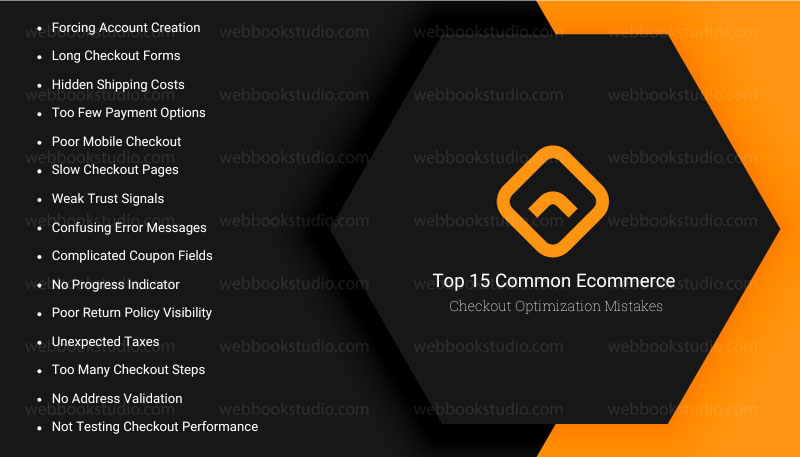
Your checkout page is where shoppers decide whether to complete their purchase or leave your store. Even small problems can create friction, reduce trust, and increase cart abandonment. The good news is that most of these mistakes are easy to fix.
Below are the 15 most common e-commerce checkout mistakes that hurt conversions, along with practical solutions you can start using today.
Mistake 1: Forcing Account Creation
Many shoppers want to buy as quickly as possible. Requiring them to create an account before checkout adds extra work and often causes them to leave without completing their purchase.
| Why does it hurt conversions? | How to Fix It? |
| Adds unnecessary steps. | Offer guest checkout. |
| Increases checkout friction. | Ask customers to create an account after payment |
| Discourages first-time customers | Explain the benefits of having an account. |
| Raises cart abandonment. | Keep registration optional. |
Mistake 2: Long Checkout Forms
Every extra form field gives shoppers another reason to leave. Long forms take more time to complete, especially on mobile devices.
| Why does it hurt conversions? | How to Fix It? |
| Slows the checkout process. | Remove unnecessary fields. |
| Creates frustration. | Enable address autofill. |
| Increases typing errors. | Use real-time form validation. |
| Makes mobile checkout difficult. | Make billing and shipping information easy to copy. |
Mistake 3: Hidden Shipping Costs
Unexpected shipping fees are one of the biggest reasons shoppers abandon their carts. Customers want to know the total cost before they decide to buy.
| Why does it hurt conversions? | How to Fix It? |
| Breaks customer trust. | Display shipping costs early. |
| Creates a price shock. | Show delivery estimates. |
| Increases cart abandonment. | Be transparent about shipping fees. |
| Makes competitors look more attractive. | Offer free shipping when possible. |
Include a shipping calculator on product or cart pages.
Mistake 4: Too Few Payment Options
Customers expect to pay using their preferred method. If their favorite option is missing, they may leave before completing the purchase.
| Why does it hurt conversions? | How to Fix It |
| Limits customer choice. | Accept major credit and debit cards. |
| Reduces convenience. | Offer PayPal, Apple Pay, and Google Pay. |
| Prevents international sales. | Consider Buy Now, Pay Later (BNPL) options. |
| Lowers customer confidence. | Use trusted payment gateways. |
Mistake 5: Poor Mobile Checkout
Many online purchases now happen on smartphones. A checkout page that works well on desktop but poorly on mobile can cost you sales every day.
| Why It Hurts Conversions | How to Fix It |
| Small buttons are difficult to tap. | Use responsive design. |
| Forms are hard to complete. | Make buttons large and easy to tap. |
| Pages require excessive scrolling. | Enable autofill. |
| Slow mobile performance frustrates users. | Optimize forms for mobile users. |
Tips: Test checkout on different devices.
Mistake 6: Slow Checkout Pages
Customers expect fast-loading pages. Even a short delay can interrupt the buying process and increase abandonment.
| Why It Hurts Conversions | How to Fix It |
| Creates frustration. | Improve page speed. |
| Lowers trust. | Optimize Core Web Vitals. |
| Increases bounce rates. | Compress images. |
| Interrupts the payment process. | Remove unnecessary scripts. |
Tips: Use fast hosting and caching.
Mistake 7: Weak Trust Signals
Customers hesitate to enter personal and payment information if your checkout page does not appear secure, especially for new or smaller stores.
| Why It Hurts Conversions | How to Fix It |
| Customers worry about payment security. | Use HTTPS. & Display SSL security badges. |
| Lowers confidence. | Display secure payment logos. |
| Makes your store appear less professional. | Show customer reviews. |
| Reduces completed purchases. | Link to your privacy policy & make sure the return policy is easy to find. |
Solution: Display trusted badges like Visa, McAfee, or SSL locks. Show real customer reviews and clear privacy policies near checkout. Use HTTPS everywhere.
Mistake 8: Confusing Error Messages
Wrong messages should help customers fix problems quickly. Vague or Frustrating messages only create confusion and frustration.
| Why It Hurts Conversions | How to Fix It |
| Customers don’t know what went wrong. | Show clear error messages. |
| Forms become frustrating. | Highlight the exact field with the issue. |
| Shoppers abandon checkout. | Explain how to fix the error. |
| AI agent or auto-motion isn’t a clear topic | Validate information before submission. |
Mistake 9: Complicated Coupon Fields
A coupon box can sometimes reduce conversions. Customers who don’t have a discount code may leave the checkout page to search for one and never return.
| Why It Hurts Conversions | How to Fix It |
| Distracts shoppers. | Keep coupon fields small and optional. |
| Encourages coupon hunting. | Automatically apply eligible discounts. |
| Interrupts checkout. | Avoid making discounts the main focus. |
| Delays purchases. | Clearly explain when promotions are available. |
Mistake 10: No Progress Indicator
Customers like knowing how close they are to finishing. Without a progress bar, checkout may feel longer than it actually is.
| Why It Hurts Conversions | How to Fix It |
| Creates uncertainty. | Add a progress indicator. |
| Makes checkout feel complicated. | Show each checkout step clearly. |
| Increases abandonment. | Keep the number of steps to a minimum. |
Tips: Let customers review their order before payment.
Mistake 11: Poor Return Policy Visibility
Customers often check the return policy before placing an order. If they cannot find it easily, they may hesitate to buy.
| Why It Hurts Conversions | How to Fix It |
| Reduces customer confidence. | Link to your return policy during checkout. |
| Creates purchase anxiety. | Use simple language. |
| Lowers trust. | Explain refunds and exchanges clearly. |
Solution: Highlight satisfaction guarantees when available.
Mistake 12: Unexpected Taxes
Taxes that appear only at the final payment step can surprise customers and cause them to abandon their purchase.
| Why It Hurts Conversions | How to Fix It |
| Increases the final price unexpectedly. | Estimate taxes before checkout. |
| Creates confusion. | Show taxes clearly. |
| Damages trust. | Keep pricing transparent. |
Suggest: Display the total order cost before payment.
Mistake 13: Too Many Checkout Steps
A checkout with too many pages or repeated actions increases friction and gives customers more chances to leave.
| Why It Hurts Conversions | How to Fix It |
| Takes longer to complete. | Combine checkout steps where possible. |
| Feels complicated. | Remove unnecessary pages. |
| Reduces user satisfaction. | Offer one-page or express checkout. |
Tips for buyers who do not know how many steps are left. Keep navigation simple.
Mistake 14: No Address Validation
Typing mistakes in shipping addresses can lead to failed deliveries, delayed orders, and unhappy customers.
| Why does it hurt conversions? | How to Fix It? |
| Causes shipping errors. | Use address validation tools. |
| Creates delivery delays. | Suggest addresses as customers type. |
| Increases customer support requests. | Check postal codes automatically. |
Solution: Allow customers to review their address before placing the order.
Mistake 15: Not Testing Checkout Performance
Many store owners update their checkout once and never review it again. Customer behavior, devices, and payment preferences change over time, so regular testing is essential.
| Why It Hurts Conversions | How to Fix It |
| Problems go unnoticed. | Monitor checkout analytics. |
| Conversion rates slowly decline. | Track cart abandonment rates. |
| Small usability issues become costly. | Use heatmaps and session recordings. |
| Missed opportunities for improvement. | Run A/B tests on checkout pages. |
| Smartphone-friendly checkout testing | Measure conversion rates after every major change. |
Suggest testing your checkout regularly on desktop and mobile devices. Get more professional support
However, the best eCommerce checkout optimization strategy is to remove friction at every step of the customer journey. Even small improvements can make a noticeable difference in how many shoppers complete their purchase.
E-commerce Checkout Optimization Checklist
| Best Practice | Why It Matters |
| Offer guest checkout | Removes unnecessary barriers for first-time buyers. |
| Keep forms short | Reduces effort and speeds up checkout. |
| Show shipping costs early | Prevents unexpected surprises at payment. |
| Offer multiple payment methods | Gives customers flexibility and convenience. |
| Optimize for mobile | Creates a smooth experience on smartphones and tablets. |
| Display trust signals | Builds confidence before payment. |
| Improve page speed | Reduces waiting time and abandonment. |
| Use clear error messages | Helps customers fix problems quickly. |
| Add a progress indicator | Shows shoppers how close they are to finishing. |
| Test checkout regularly | Continuously improves performance and conversions. |
Ecommerce Checkout Optimization Metrics and KPIs You Should Track
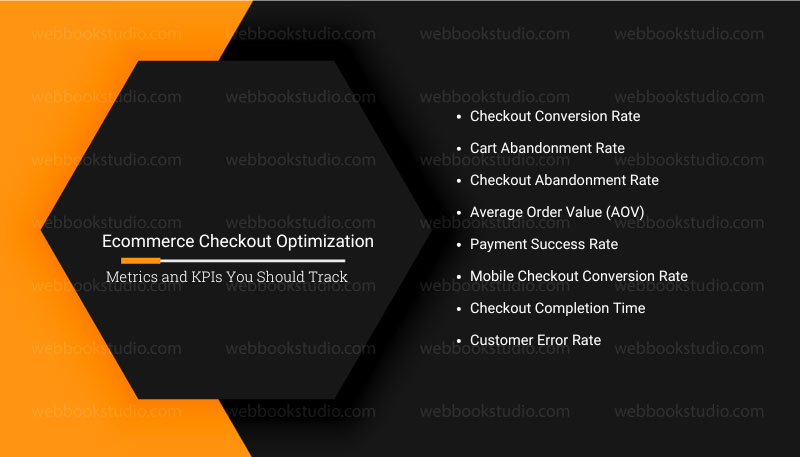
Making changes to your checkout is only half the job. You also need to measure the results. Tracking the right Key Performance Indicators (KPIs) helps you understand what’s working, where shoppers drop off, and which improvements increase conversions.
You don’t have to track dozens of metrics. Focus on the numbers that directly affect your checkout performance and sales.
1. Checkout Conversion Rate
This is one of the most important e-commerce metrics. It measures how many shoppers complete their purchase after starting the checkout process.
Formula: Checkout Conversion Rate = (Completed Orders ÷ Checkout Sessions) × 100.
| Why It Matters | How to Improve It |
| Shows how effective your checkout process is. | Simplify the checkout flow. |
| Measures the impact of checkout improvements. | Offer guest checkout. |
| Helps identify whether changes increase. | Improve page speed and display trust signals. |
| Decrease conversions | Add more payment options. |
Many stores see 10-30%+ lifts in conversions. Some report even higher with multiple fixes.
2. Cart Abandonment Rate
This metric shows how many shoppers add products to their cart but leave before completing their purchase.
Formula: Cart Abandonment Rate = (Abandoned Carts ÷ Shopping Carts Created) × 100.
| Why It Matters | How to Reduce It |
| Highlights friction during checkout. | Show shipping costs upfront. |
| Helps identify where customers lose interest. | Remove unnecessary checkout steps. |
| Shows whether pricing or usability issues exist. | Send abandoned cart emails. |
| Letting abandoned carts go without follow-up. | Offer a faster checkout experience. |
3. Checkout Abandonment Rate
Unlike cart abandonment, this metric focuses only on customers who started the checkout process but didn’t finish.
| Why It Matters | How to Improve It |
| Reveals problems inside the checkout flow. | Review checkout analytics. |
| Helps locate the exact step where shoppers leave. | Improve form usability and reduce loading times. |
| Measures checkout performance more accurately. | Fix confusing error messages. |
4. Average Order Value (AOV)
Average Order Value measures how much customers spend per order.
Formula: Average Order Value = Total Revenue ÷ Number of Orders.
| Why It Matters | How to Increase It |
| Helps increase revenue without attracting more visitors. | Recommend related products and create product bundles. |
| Shows the success of upsells & cross-sells. | Offer free shipping thresholds. |
| Measures customer spending habits. | Use post-purchase upsells instead of interrupting checkout. |
5. Payment Success Rate
This metric measures how many payment attempts are completed successfully.
| Why It Matters | How to Improve It |
| Identifies payment gateway issues. | Use reliable payment gateways. |
| Detects failed transactions. | Offer multiple payment methods. |
| Helps improve customer satisfaction. | Monitor failed payment errors. |
| As close to 100% as possible | Keep payment pages secure. |
6. Mobile Checkout Conversion Rate
Many online stores receive most of their traffic from mobile devices. Tracking mobile conversions separately helps identify mobile-specific issues.
| Why It Matters | How to Improve It |
| Shows how well your mobile checkout performs. | Simplify mobile forms & increase button sizes. |
| Highlights usability problems on smartphones. | Improve page speed. |
| Measures the effectiveness of your mobile optimization efforts. | Enable autofill and digital wallets. |
7. Checkout Completion Time
This measures how long it takes shoppers to complete the checkout process.
| Why It Matters | How to Reduce It |
| Longer checkout times often mean more friction. | Remove extra fields & simplify navigation. |
| Helps identify unnecessary steps. | Use one-page or express checkout. |
| Improves the overall customer experience. | Enable address validation. |
8. Customer Error Rate
This metric tracks how often shoppers encounter errors during checkout.
Common examples include:
- Invalid card details
- Incorrect postal codes
- Missing required fields
- Payment failures
Why It Matters
- Shows where customers struggle.
- Helps improve form design.
- Reduces checkout frustration.
How to Improve It
- Add real-time validation.
- Display helpful error messages.
- Highlight incorrect fields immediately.
Note: Instead of comparing your store to industry averages, compare your current performance with your past results. Continuous improvement is a more reliable measure of successful custom ecommerce development.
Ecommerce Checkout Optimization: Recommended Tools to Measure Performance.
| Tool | What It Helps You Measure |
| Google Analytics 4 (GA4) | Check out funnel performance, conversions, user drop-off, and purchase events. |
| Google Search Console | Core Web Vitals, page experience insights, and technical issues affecting visibility. |
| Microsoft Clarity | Heatmaps, session recordings, click behavior, and user frustration. |
| Hotjar | Heatmaps, user recordings, feedback polls, and form analysis. |
| Shopify Analytics | Sales performance, checkout conversion, and abandoned checkouts for Shopify stores. |
| WooCommerce Analytics | Revenue, orders, customer insights, and store performance for WooCommerce users. |
What Good Checkout Performance Looks Like: Are These Checkout Mistakes Driving Customers Away?
| KPI | Healthy Goal |
| Checkout Conversion Rate | Increasing month over month |
| Cart Abandonment Rate | Lower than your previous performance |
| Checkout Abandonment Rate | Continually decreasing |
| Average Order Value | Growing steadily |
| Payment Success Rate | As close to 100% as possible |
| Mobile Conversion Rate | Similar to a desktop after optimization |
| Checkout Completion Time | As short as possible without confusing shoppers |
| Customer Error Rate | Low and decreasing over time |
Key Takeaway for Ecommerce checkout optimization
You can’t improve what you don’t measure. Tracking the right checkout metrics helps you find friction, understand customer behavior, and make data-driven decisions. Start with your checkout conversion rate, cart abandonment rate, and checkout abandonment rate, then use analytics, heatmaps, and A/B testing to discover new opportunities for improvement. Small, measurable changes made over time often lead to significant gains in conversions and revenue.
Conclusion: What Are the Top Ecommerce Checkout Mistakes That Hurt Conversions?
Ecommerce checkout optimization is not about making one big change to improve every step of the buying journey. Small issues like long forms, hidden shipping costs, slow pages, or confusing error messages may seem minor, but together they can prevent customers from completing their purchases.
By fixing the 15 common checkout mistakes covered in this guide, you can create a faster, simpler, and more trustworthy checkout experience. Focus on reducing friction, being transparent about costs, offering flexible payment options, and making your checkout work seamlessly on every device.
However, don’t assume your checkout is perfect. Track your key metrics, listen to customer feedback, and continue testing new ideas. As customer expectations evolve, ongoing improvements will help you reduce cart abandonment, increase conversion rates, and grow your e-commerce business with confidence.
More helpful article: Top 10 CRO Tools for Ecommerce Websites.
FAQs: About Ecommerce Checkout Optimization.
- What is ecommerce checkout optimization?
Ecommerce checkout optimization is the process of improving your checkout experience so more shoppers complete their purchases. It involves reducing friction, simplifying forms, increasing page speed, offering flexible payment options, and building trust throughout the checkout process. The goal is to reduce cart abandonment and improve your checkout conversion rate.
- What is the average cart abandonment rate?
Around 70% of online carts are abandoned. Small improvements can recover a lot of that.
- How much can checkout changes increase sales?
Many stores see 10-30%+ lifts in conversions. Some report even higher with multiple fixes.
- Is guest checkout always better?
Yes, for most first-time buyers. You can still encourage accounts gently afterward.
- How important is mobile checkout?
Extremely. Over half of sales happen on phones, and mobile abandonment is often higher.
- What are the best payment options to add?
Credit/debit cards, PayPal, Apple Pay/Google Pay, and buy-now-pay-later services like Affirm or Klarna.
- Do trust badges really help?
Yes, they reduce fear and build confidence quickly.
- How do I test changes without losing sales?
Use A/B testing tools. Show the new version to some visitors and compare the results.
- Can small stores afford optimization?
Absolutely. Many changes are free or low-cost, like rearranging forms or adding badges. Free plugins exist for popular platforms like Shopify or WooCommerce.
- What about international customers?
Start with currency display and basic shipping info. Expand payment options as you grow.
- How often should I review my checkout?
At least every few months, or after major site updates. Customer habits change, especially with new tech.