

Can You Build Your Own App Without Coding in 2026? Step-by-Step Guide
Build your own app: Become one of the most direct paths for entrepreneurs to create value, capture revenue, and control their customer relationships in a mobile-first world.
As smartphones stay glued to billions of hands, apps deliver faster access, personalized experiences, and sticky engagement that simple websites rarely match.
The global mobile application market reached roughly $330 billion in 2025 and is projected to hit around $378 billion in 2026, with strong growth continuing toward $1 trillion or more by the mid-2030s.
In the United States alone, the market generated over $58 billion in 2024 and is expected to more than double by 2030.
For entrepreneurs, if you’re running a local service business in the US, scaling a SaaS product worldwide, or testing a side hustle from anywhere.
The decision to build your own app often separates those who own their distribution channel from those who rent space on someone else’s platform.
Here are the real reasons, the trade-offs, practical solutions to common problems, and the reasons why certain ideas, like a specialized web page developer tool, stand out as unique opportunities heading into 2026 and beyond.
Why Most Entrepreneurs Struggle to Launch an App?
Even with the growing popularity of custom mobile app development, many entrepreneurs still hesitate to build your own app because the process feels overwhelming at the start. The biggest challenge isn’t the idea, it’s the uncertainty around execution.
Questions like “Do I need coding skills?”, “How much will it cost?” or “What if it fails?” often stop people before they even begin.
One major barrier is the traditional perception of software development. For years, building Android apps or iOS applications has required hiring developers, managing complex backend development, and handling technical components like APIs and databases.
This not only increased costs but also slowed down progress, making it difficult for startups to launch quickly or adapt to market feedback.
Cost is another major concern. Hiring agencies or freelance developers can be expensive, especially for small businesses or first-time founders.
This creates a risk where entrepreneurs invest heavily before validating their idea for a Minimum Viable Product (MVP). Often leading to wasted time and money if the concept doesn’t resonate with users.
However, there’s the challenge of launching and scaling. Publishing an app on platforms like the Apple App Store or Google Play Store involves guidelines, testing, and ongoing updates. Without the right tools or knowledge, this process can feel intimidating.
So, the result? Many great ideas never make it to market, not because they lack potential, but because the path to building an app seems too complex.
But here’s the reality, and this barrier is quickly disappearing.
7 Most Step-by-Step Guide: How to Build Your Own App?
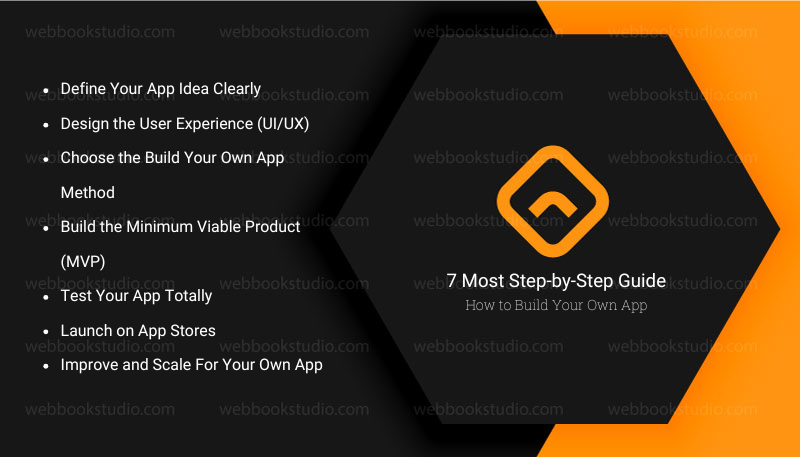
Once you understand that you don’t need advanced coding skills, the next step is turning your idea into a real product. To build your own app successfully need a structured process that takes you from concept to launch without wasting time or resources.
Step 1: Define Your App Idea Clearly
Every successful application starts with a focused idea. Alternatively to trying to build everything at once, identify one core problem your app will solve. Define your target users, main features, and expected outcome. This clarity helps you avoid unnecessary complexity during app development.
Step 2: Design the User Experience (UI/UX)
Before building anything, visualize how your app will look and feel. This includes layout, navigation, and user flow. Tools like Figma allow you to create wireframes and prototypes so you can test the experience before development begins. Good UI/UX design is often what separates successful apps from failed ones.
Step 3: Choose the Build Your Own App Method.
Now decide how you will actually build your own app roadmap:
- No-code platforms like FlutterFlow, Glide (ideal for turning spreadsheets like Google Sheets into apps). Apphive or Thunkable, etc.
- AI app builders like Base44 or Lovable.dev, and Bubble
- Or custom coding using tools like Replit, AppInstitute
Each option depends on your goals, budget, and technical comfort level.
Step 4: Build the Minimum Viable Product (MVP)
Instead of building a full-featured app, start with a Minimum Viable Product (MVP). This is a simple version of your app that includes only the essential features needed to solve the core problem. The goal is to launch faster and validate your idea in the real world.
Step 5: Test Your App Totally
Testing verifies your own app’s correctness, functional behavior, and usability before you release it to the public. Before launching, test your app across different devices and scenarios. Here are basic but essentials;
- Fundamentals of testing Android or iOS apps.
- Build local unit tests that run on the host.
- Build instrumented tests that run on devices or emulators.
- Verify UIs with Behavior and Screenshot tests.
- Test different screen sizes.
Also, check for bugs, slow performance, or confusing user flows. Early feedback is crucial because it helps you fix issues before real users encounter them.
Step 6: Launch on App Stores
Once your app is ready, you can publish it on major platforms like the Apple App Store or Google Play Store. Make sure you follow their guidelines carefully to avoid rejection during submission.
Step 7: Improve and Scale For Your Own App.
After launch, your work doesn’t stop. For rapid, scalable, no-code/low-code developers, consider using platforms like;
- Bubble for full-stack apps,
- FlutterFlow for native apps,
- Xano for a scalable backend.
Use analytics to understand user behavior, then improve your app based on real data. You can also integrate automation tools like Zapier to streamline workflows and scale faster.
7 Key Pros: Is It Worth Building Your Own App as an Entrepreneur?
Customers spend far more time inside apps than on mobile browsers. Many prefer the speed and convenience of an app over a responsive website.
1. Improved User Engagement and Protection
Mobile users expect instant gratification; even a few extra seconds of load time on a website can increase bounce rates sharply.
Push notifications, personalized feeds, and gamification elements drive users back more effectively than email or web reminders. Apps load faster and feel more responsive, reducing friction.
An app built for your specific workflow keeps users inside your ecosystem longer, improving conversion and repeat business.
2. Access to Device Capabilities
Leverage GPS for location-based services, a camera for AR try-ons or scanning, an accelerometer for fitness tracking, or secure biometric authentication. These native integrations create experiences impossible or clunky on the web. For a local delivery entrepreneur in the US or a global fitness coach, this means real utility that justifies downloads and usage.
3. Offline Functionality
Many apps work without constant internet think note-taking, inventory management, or basic e-learning modules. This proves valuable for users in areas with spotty connectivity or during travel. It reduces dependency on data plans and builds trust when the app “just works.”
4. Data Collection and Personalization
With consent and compliance like GDPR, CCPA in the US, and similar rules elsewhere, apps gather behavioral insights that fuel better recommendations and product decisions. This data moat helps refine offerings faster than web analytics alone.
5. Monetization Flexibility
Subscriptions, in-app purchases, ads, or premium features give multiple levers. Successful examples include language apps using streaks and daily goals or productivity tools charging for advanced workflows. Entrepreneurs often combine models for diversified income.
6. Competitive Edge and Brand Loyalty
Standing out in app stores or search can position you as the go-to solution in your niche. Loyal users become advocates, lowering customer acquisition costs over time. In crowded markets, an app signals professionalism and investment in the user. It can become an extension of your branding that lives on someone’s home screen, creating habitual use that boosts retention and word-of-mouth.
7. Scalability: Building Your Own App
Once built, digital products scale with low marginal cost. Add users worldwide without proportional increases in delivery expenses, especially with cloud backends.
No-code and low-code platforms have lowered barriers dramatically. The low-code market is expanding rapidly, with projections placing it between $30-65 billion in 2026 and much higher growth rates ahead.
Tools now let non-technical founders prototype and launch MVPs in weeks rather than months, making build your own app realistic even on tight budgets.
Important Cons and Realistic Challenges for Building Your Own App.
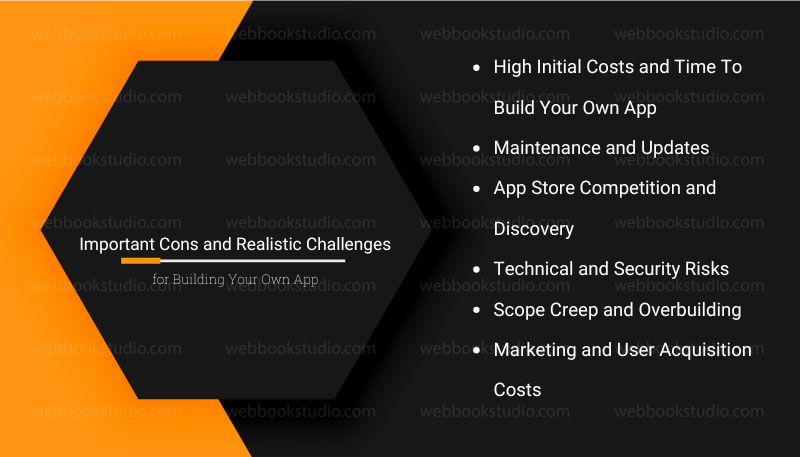
The building isn’t all upside down. Honest assessment prevents costly mistakes.
1. High Initial Costs and Time To Build Your Own App.
Custom development still ranges widely:
- Simple apps might start at $15,000–$50,000,
- Medium-complexity projects hit $50,000–$120,000,
- Enterprise-level ones exceed $150,000–$300,000+.
US-based developer rates push annual salaries to $100,000+, influencing outsourcing or hiring decisions. Even with no-code tools, advanced features, or scaling require investment.
Because of quality code, design, testing across devices, and backend infrastructure add up. Underestimating this leads to half-finished products or budget overruns.
2. Maintenance and Updates
Apps need ongoing work for OS changes for iOS and Android updates, bug fixes, security patches, and new features. Neglect this, and users drop off or leave negative reviews. App store guidelines evolve, requiring compliance efforts.
3. App Store Competition and Discovery
Millions of apps exist, and standing out demands strong ASO (App Store Optimization), marketing budgets, and sometimes paid user acquisition. Organic discovery is tough. Reason for platforms taking a cut (typically 15-30%) and controlling visibility.
4. Technical and Security Risks
Data breaches, privacy complaints, or poor performance damage reputation fast. Cross-platform compatibility, device fragmentation, and performance optimization create headaches. Security must address authentication, encryption, and compliance from day one.
5. Scope Creep and Overbuilding
Many projects balloon because teams add “nice-to-have” features before validating core value. Startups especially suffer when unclear requirements lead to wasted effort. Up to 90% of startups fail partly due to building unwanted products.
6. Marketing and User Acquisition Costs
Even great apps need promotion. User acquisition spend globally reached high figures in recent years, with iOS often being more expensive. Retaining users costs less than acquiring new ones, but initial traction requires investment.
These cons explain why validation matters first, and talk to potential users, build a minimal landing page or prototype, and test demand before heavy coding.
Build Your Own App vs Hiring Developers: What’s Better?
At this stage, most entrepreneurs face a critical decision. Should you build your own app using modern tools, or hire developers to do it for you?
The answer depends on your goals, budget, and how much control you want over your product, but for many founders today, the balance is shifting.
Traditionally, hiring developers meant access to custom features and technical expertise. However, it also came with higher costs, longer timelines, and less flexibility when making changes.
On the other hand, using an app builder or AI-powered platform allows you to move faster, test ideas quickly, and adapt without depending on external teams.
Here’s a clear comparison to build your own app VS hiring developers to help you decide:
| Factor | Build Your Own App | Hire Developers |
| Cost | Low to moderate, like subscription-based tools. | High upfront & ongoing costs |
| Speed | Fast (hours to weeks) | Slow (weeks to months) |
| Control | Full control over features and updates | Limited, depends on developers |
| Flexibility | High (easy to iterate and test) | Lower, changes take time |
| Technical Skill | Minimal (no-code/AI tools) | Not required, but fully dependent |
| Scalability | Good with modern platforms | Excellent for complex apps |
Modern cross-platforms are closing the gap by offering advanced features that once required full development teams. Even if you eventually need custom functionality, you can start with a Minimum Viable Product (MVP), validate your idea, and then decide whether scaling with developers makes sense.
However, the smartest approach for most entrepreneurs today isn’t choosing one over the other, starting by building your own app to test and validate, then expanding with developers only when necessary.
This way, you reduce risk, save money, and stay in control from day one.
Common Problems Entrepreneurs Face and Practical Solutions
| Problem | Practical Solution |
| Uncertainty: Is an App Worth It | Start with validation before you build your own app. Create a simple landing page, collect emails or pre-orders, and survey 50–100 target users. Use no-code tools like Glide to build a clickable prototype in days. Measure interest through sign-ups or willingness to pay. Most successful apps begin as an MVP, solving one key problem. |
| High Development Costs | Reduce costs by using no-code or low-code platforms such as Glide or Thunkable. Many founders launch MVPs for under $10,000. For advanced features, use a hybrid approach: prototype first, then scale with custom development. Focus on one platform (iOS or Android) based on your audience. |
| Choosing the Right Features | Focus on user needs, jobs-to-be-done. Solve 1–2 core problems exceptionally well before expanding. Use analytics tools to track real behavior and improve features over time rather than guessing. |
| Marketing and Retention | Build growth into your app with referral systems, personalized content, and engagement loops. Combine this with SEO, content marketing, and targeted ads. If you already have an audience, leverage it early. Monetization works best when real value is delivered first. |
| Technical Debt and Scaling | Plan for scalability from the beginning. Use cloud platforms like Google Cloud and frameworks that support cross-platform development. This ensures your app can grow without major rebuilds. |
| Privacy and Compliance | Apply privacy-first principles. Use clear consent flows, minimize data collection, and follow regulations. For example, data privacy (CCPA in California, GDPR for EU users), accessibility standards, and app store policies. Consult experts when handling sensitive data, such as health or financial information. For apps targeting users on platforms like the Apple App Store or Google Play Store, compliance is essential to avoid rejection or legal issues. |
Best relevant article: How to use Figma for cross-platform mobile app design?
Conclusion: Should Entrepreneurs Build Their Own App?
In today’s digital economy, choosing to build your own app is no longer just a technical decision, but also a business strategy. What once required advanced programming skills and large development teams can now be achieved. With AI app builders, no-code platforms, and modern app development tools, entrepreneurs have direct control.
From early-stage idea validation using a Minimum Viable Product (MVP) to full-scale mobile deployment on the Apple App Store and Google Play Store, the entire process has become faster, more accessible, and significantly more cost-effective.
Platforms like Glide, Appy Pie AI, Thunkable, Base44, and AppMachine are removing traditional barriers and enabling anyone with an idea to turn it into a functional digital product.
However, success doesn’t come from just building an app; it comes from building the right app. Entrepreneurs who focus on solving real problems, validating ideas early, and continuously improving based on user feedback are the ones who turn apps into scalable businesses.
Many tools and automation platforms support this journey by improving design quality and operational efficiency.
If you have an idea, you no longer need permission, funding, or deep technical knowledge to start. You just need the right tools, a focused vision, and the willingness to execute.
Because in 2026, the biggest advantage in entrepreneurship isn’t just having an idea, but also the ability to build it yourself and launch it faster than ever before.
FAQs: Can You Really Build Your Own App Without Coding in 2026?
1. Can I build my own app for free?
Yes, you can start building an app for free using basic plans from no-code or AI platforms like Glide, Appy Pie AI, Thunkable, Base44, and AppMachine. However, free versions usually have limitations such as branding restrictions, limited features, or publishing constraints. For serious projects, upgrading to a paid plan is often necessary.
2. How long does it take from idea to launch?
MVP with no-code: weeks to a couple of months. Custom development: 3-9 months depending on complexity. Plan extra time for testing and store approval.
3. How do beginners create apps?
Beginners usually start with a simple idea, design it visually using tools like Figma, and then use a no-code or AI app builder to bring it to life. The key is starting with a Minimum Viable Product (MVP) instead of trying to build a fully advanced app from day one.
4. Do apps really make money?
Yes, apps can generate income through subscriptions, ads, or in-app purchases once they are published on platforms like the Apple App Store or Google Play Store. However, revenue depends on user demand, marketing strategy, and how well the app solves a real problem.
5. How much does it really cost to build your own app in 2026?
Simple MVPs can start under $20,000-$50,000 with no-code or careful outsourcing. Medium apps often fall in the $50,000-$150,000 range. Complex or AI-heavy projects go higher. Factor in ongoing maintenance (10-20% of initial cost annually) and marketing.
6. Are there specific regulations I need to worry about?
Yes, data privacy (CCPA in California, GDPR for EU users), accessibility standards, and app store policies. Consult experts when handling sensitive data, such as health or financial information.
7. How important is offline support?
Very, for many use cases. Users traveling, working remotely, or in areas with unreliable networks expect apps to function. It improves perceived reliability and satisfaction.
8. What monetization works best?
It depends on the app. Subscriptions suit ongoing value (productivity, health). In-app purchases fit utilities or games. Freemium lowers barriers. Test with users.